Saving/Loading Custom Reports
Now that you have your custom report built out the way you want, you can save it to be used for later!
Saving your custom report:
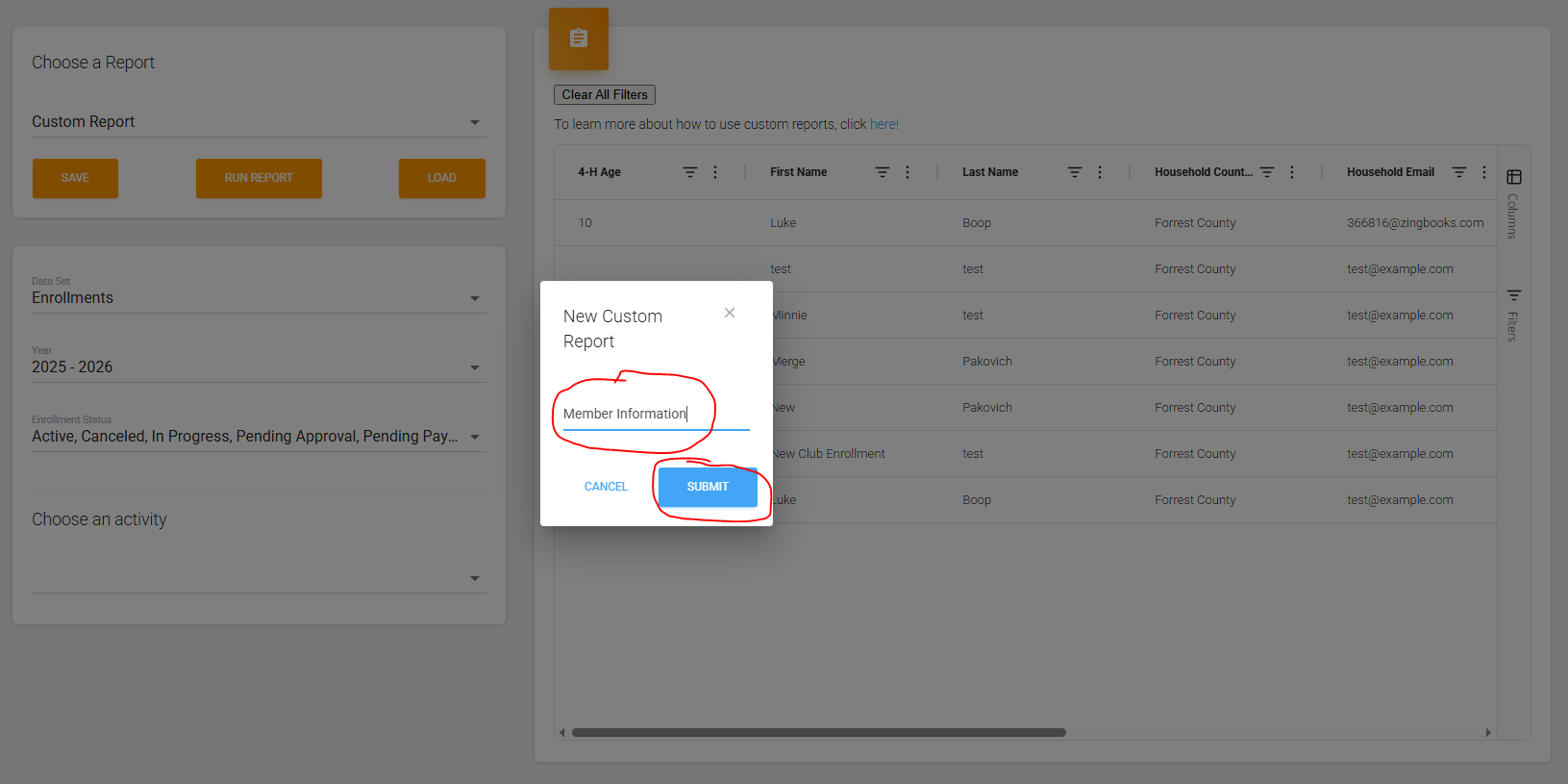
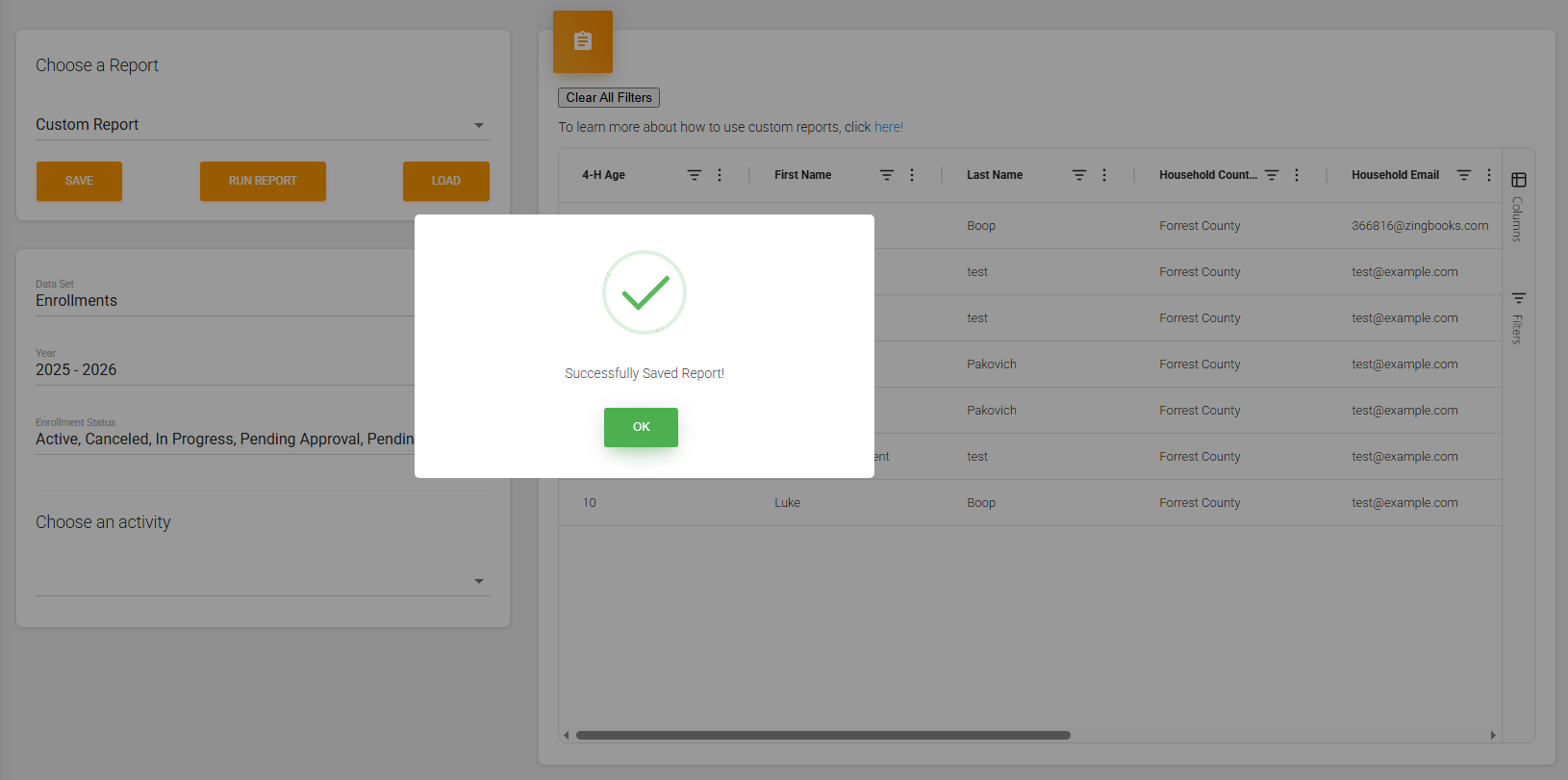
Once you are ready to save your custom report you will click the "Save" button and give your saved custom report a title:

Loading Custom Reports
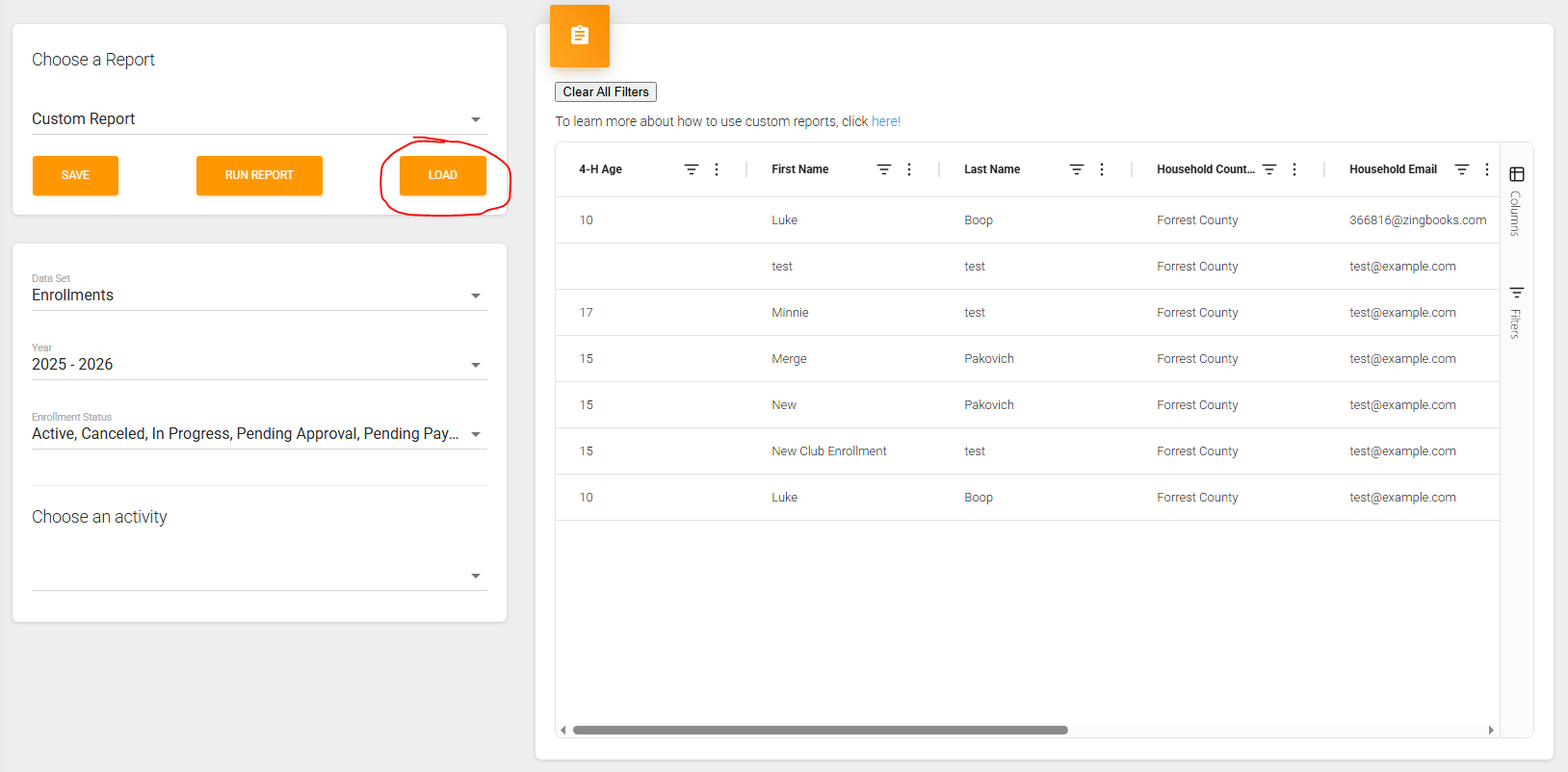
With your custom report saved you can access it and load it up by clicking the "Load" button:
When you click that it will have a pop-up show up that displays all your other saved custom reports:
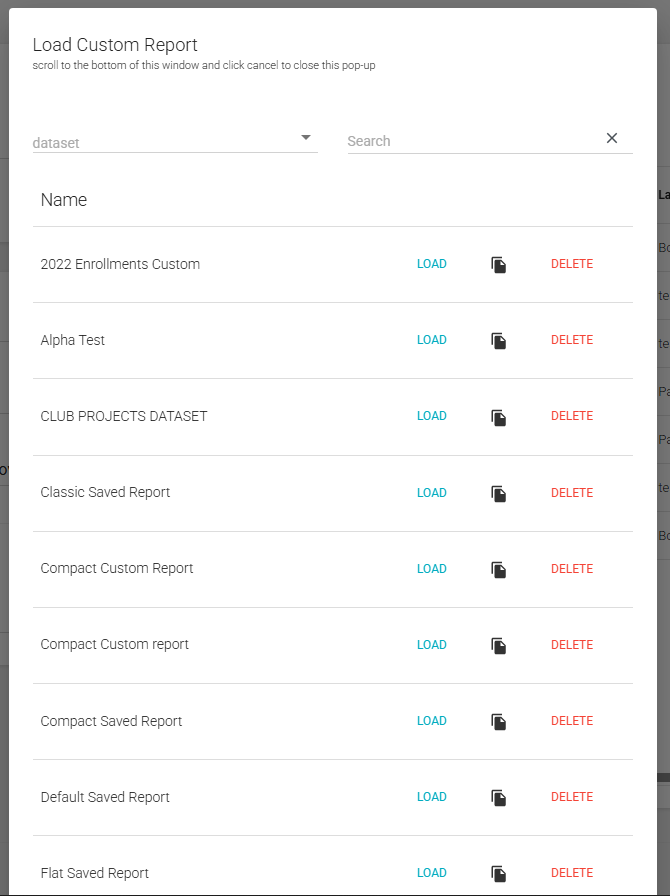
If you have a lot of saved custom reports, you can use the search tool at the top to find the custom report you want to load up:
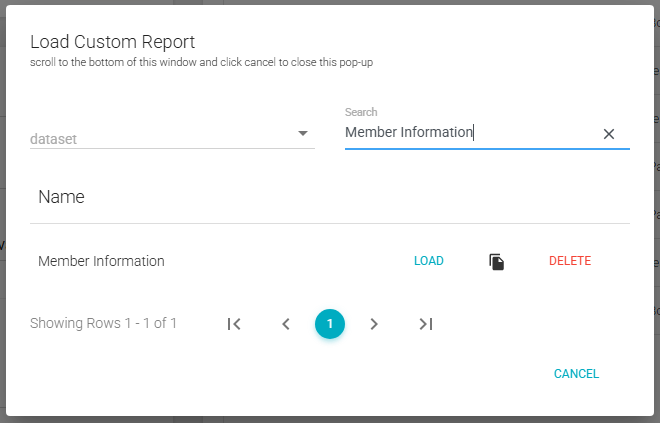
if you are not sure what the title was but knew the data set that it was saved to there is a data set filter you can set to find custom reports that are saved to a specific data set
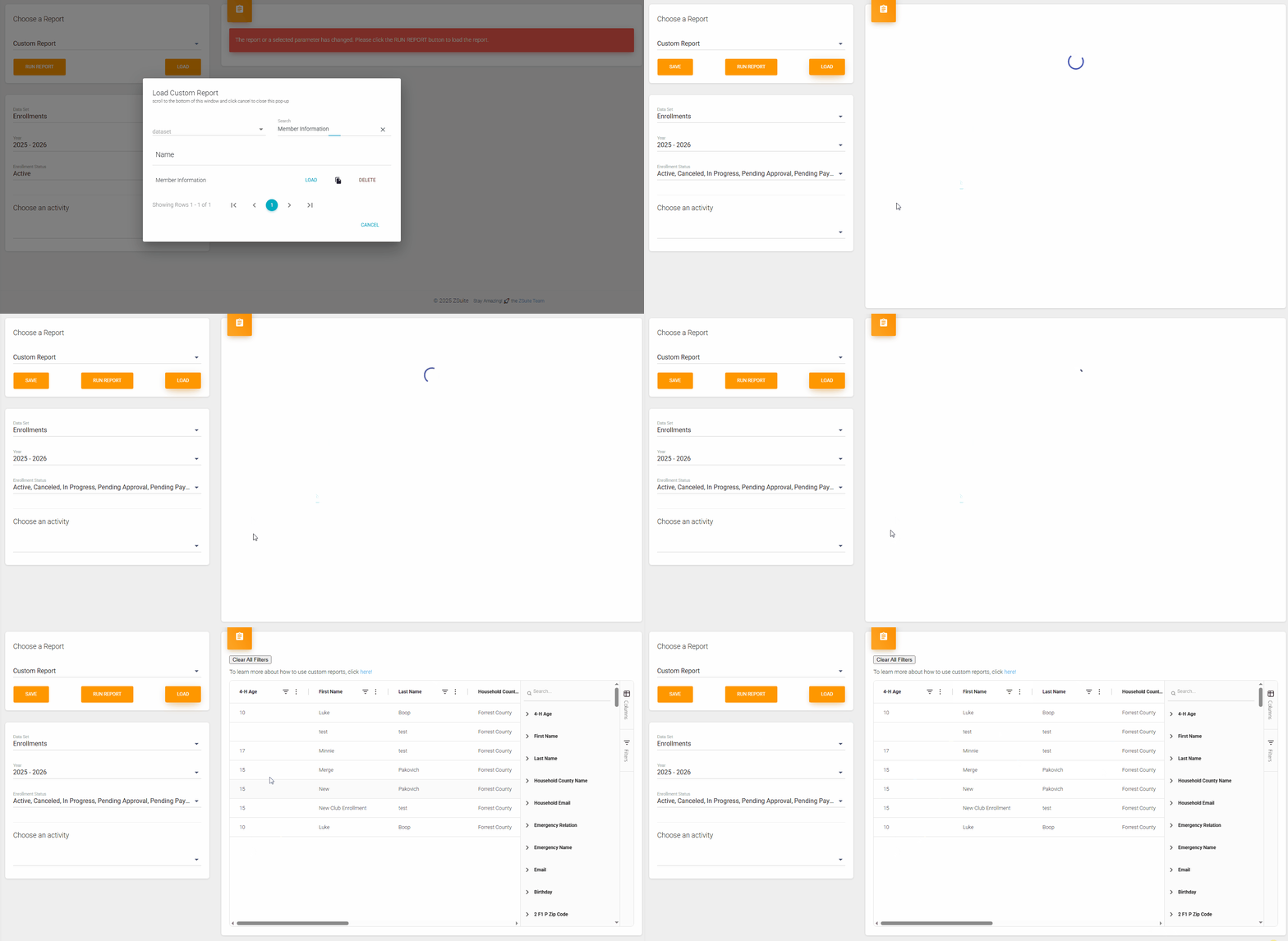
Once you find the custom report you saved that you want to load up, click the "Load" button and then it will load in the data into the report, no need to click "Run Report" with the pop-up closes:
Created with the Personal Edition of HelpNDoc: Easily create Web Help sites