Customizing Your Report
We will learn how to pick what fields you want included, re-order those selected fields and set filters.
While there are different data sets that can be selected, the way to customize your report is the same! After you set your data set and filters and have clicked the "Run Report" button to get the report to load, you will see something that might look like this:
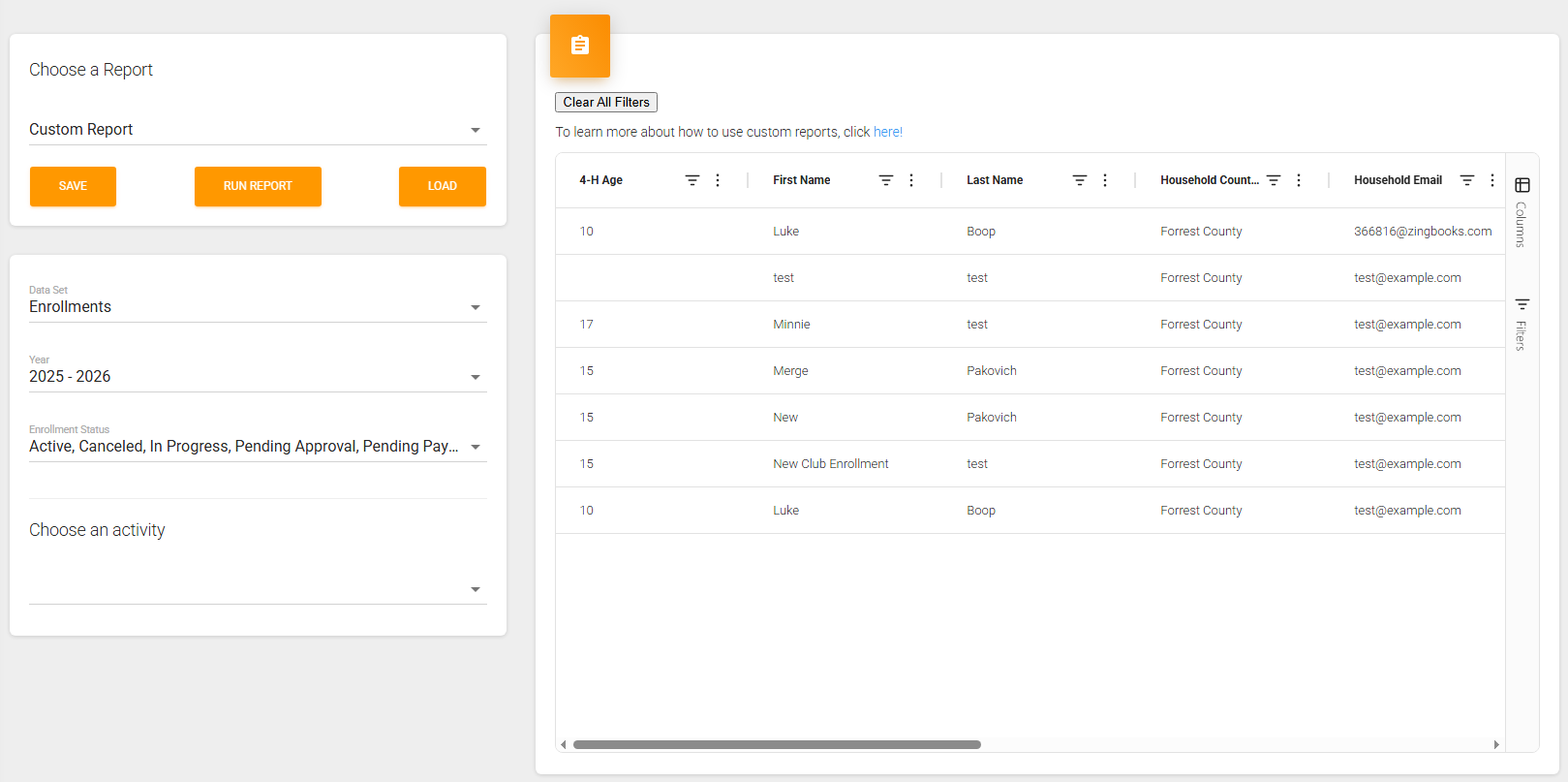
Customizing the selected fields:
If you click on the "Columns" tab on the right, it will open up a menu that lets you look at all the fields included in the report:
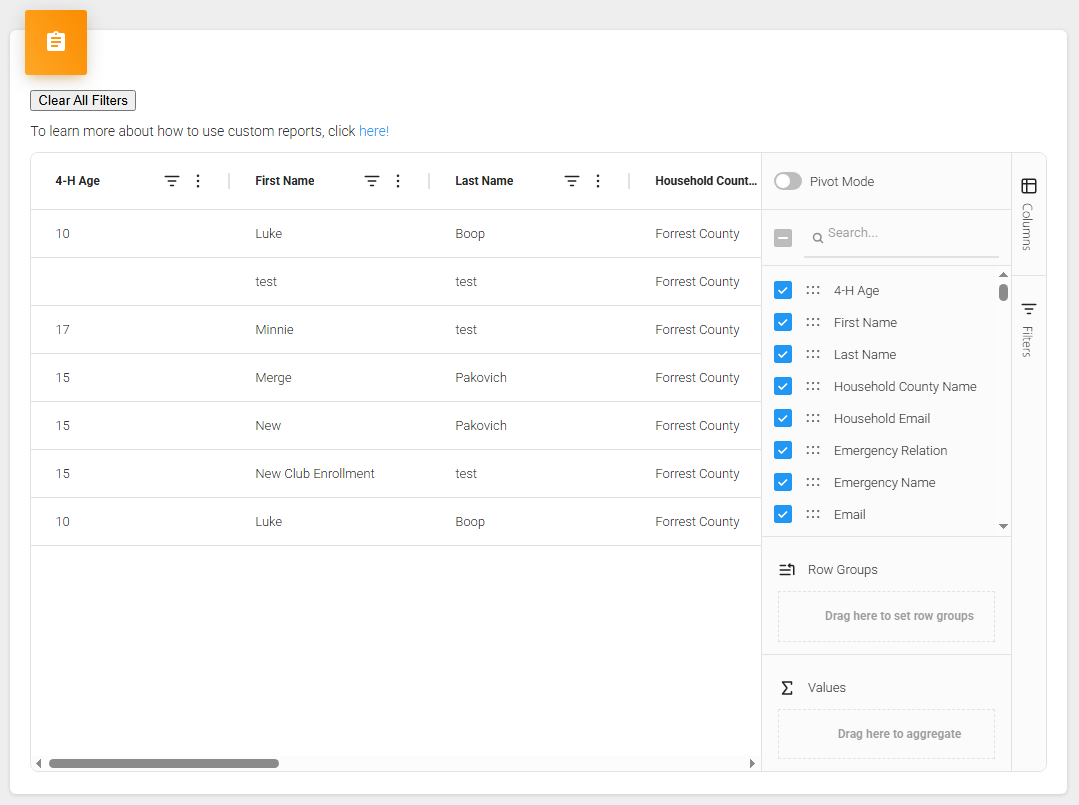
There is a search feature that allows you to search for specific field titles and you can choose to include or remove the field depending on it's current selection status. You can scroll down the list and pick fields you would like to include in the report like this:
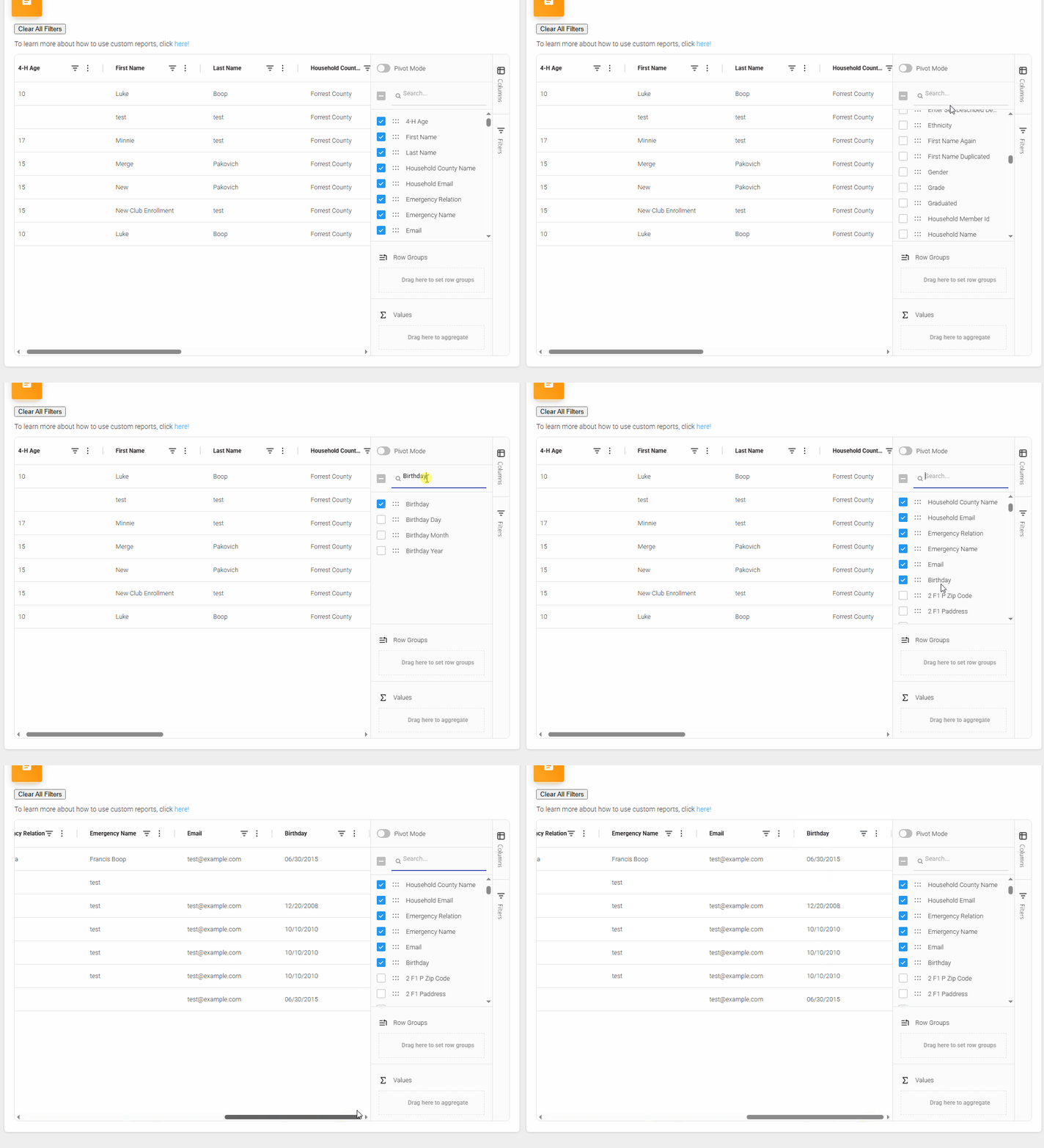
Organizing Your Fields:
Once you have the fields you want selected, there are two ways to organize the fields. The first is by dragging and dropping the column headers and the other is by dragging and dropping the fields in the "Columns" section. Here is a video showing how that looks:

Filtering your fields
Once you have the fields you want picked, you are able to click the "Filters" tab on the left to open up a list of all the fields included in the report and can filter by them. You can also filter by the column headers themselves by clicking on the filter button next to the column header. Here is a video showing you how that works:
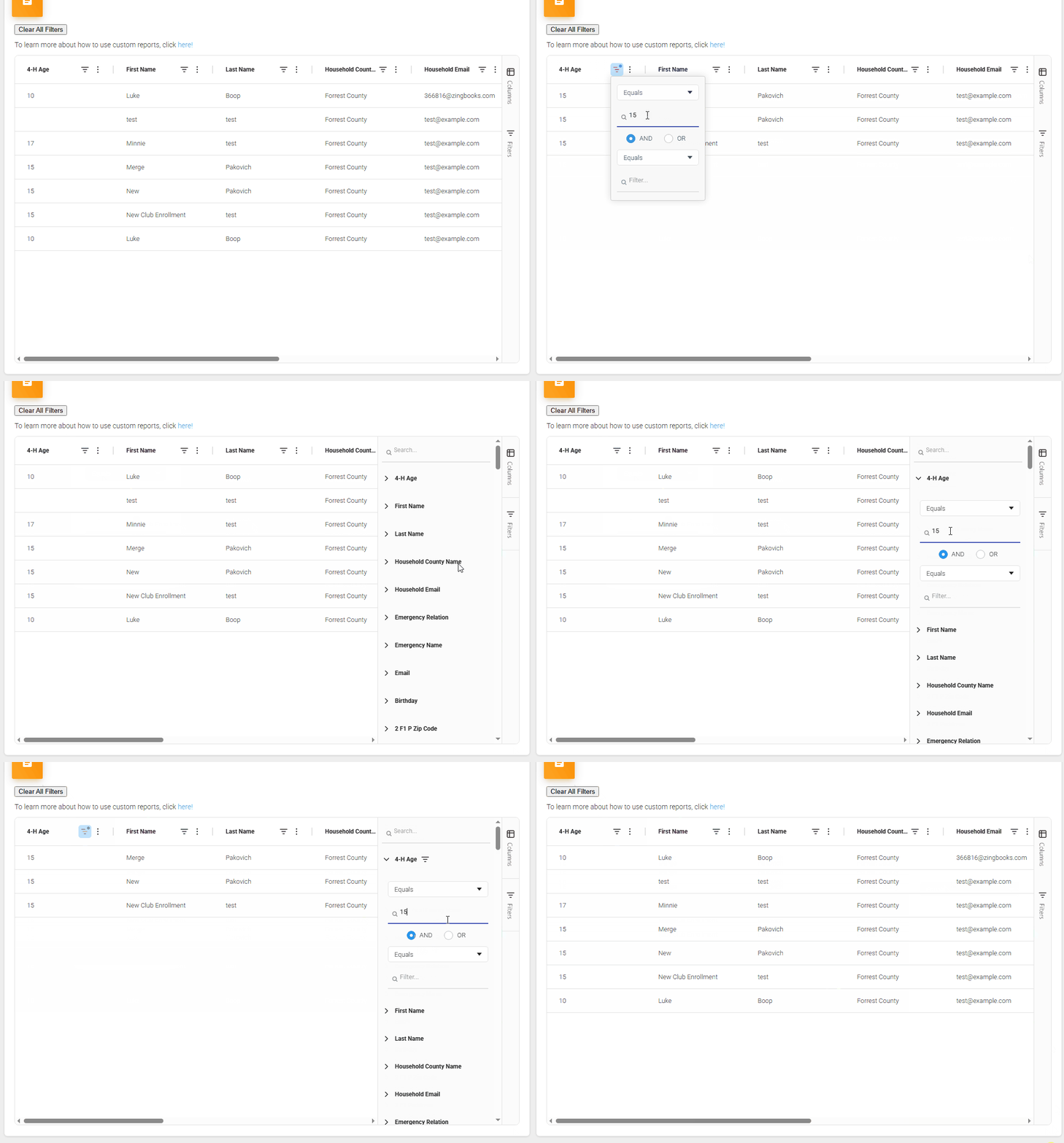
You can clear out all filters at once by clicking the "Close all Filters" button, or by clearing out the filters you have set one by one.
Exporting Data
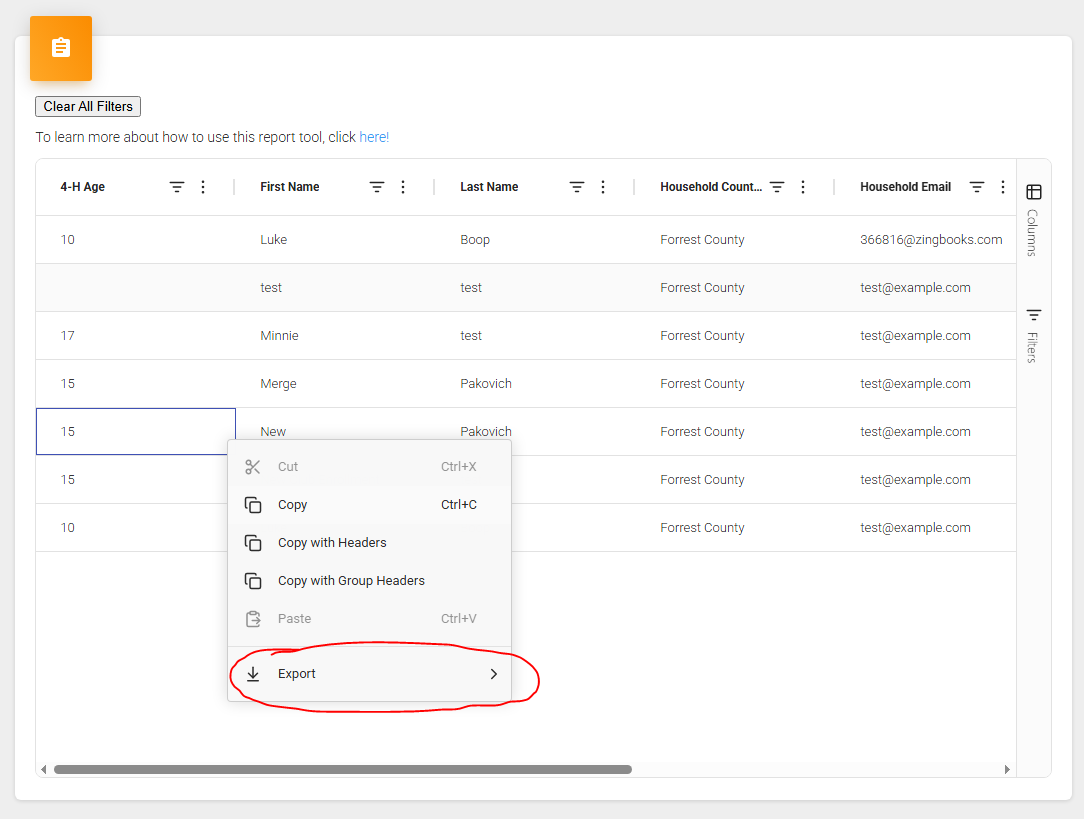
Now that you have your report built like you want, you can export the report by right clicking in the report where there is data and you should see an option to "Export":

With your custom report fields picked, organized and filters you are now ready to save this report to be utilized later! Click here to learn how to save and load custom reports
Created with the Personal Edition of HelpNDoc: What is a Help Authoring tool?